
HubbuyCN Spreadsheet guide
Use the HubbuyCN Spreadsheet to make a checked shortlist
The Spreadsheet is a product discovery catalogue. Category pages and product cards point you toward seller listings; your actual purchase is authorised separately in the shopping agent account.
What the card helps you find
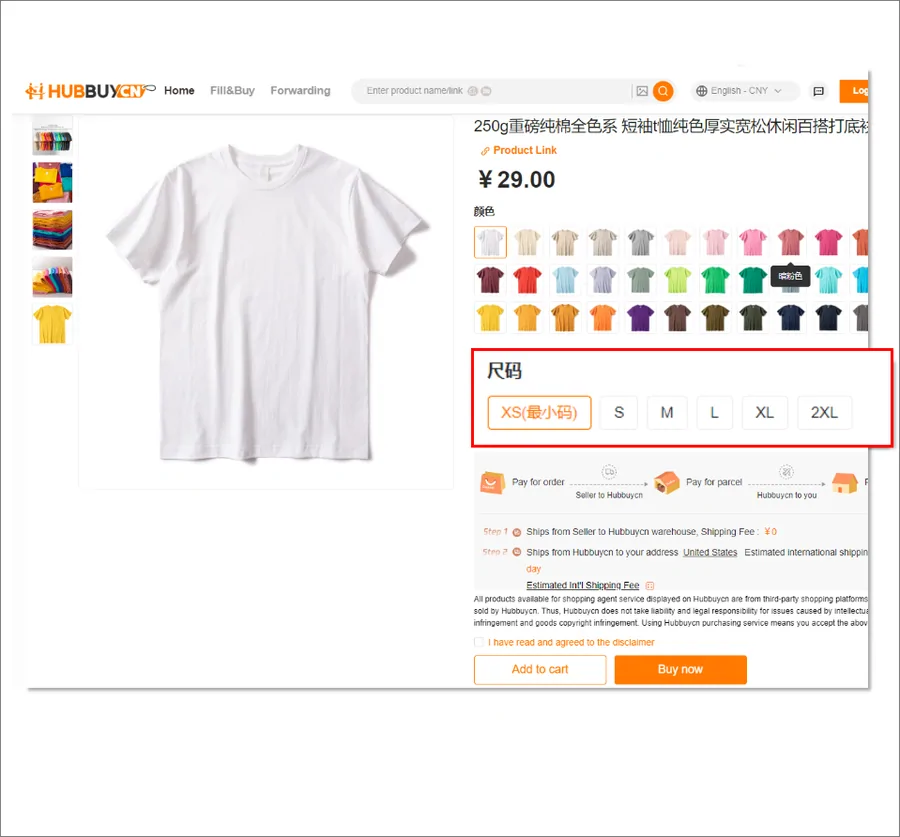
A card can show a product image, description, platform and link. Use those as starting clues. Reopen the seller listing before payment because prices, options, stock and the listing itself can change. A photo used in a catalogue is not a warehouse photograph of your order.
How to choose a product for your haul
Begin with a specific need: the garment measurements, shoe size, bag dimensions or electronic compatibility you require. Compare the exact options on the seller page, then check whether the item can travel on a route to your destination. An appealing price has little value if the usable size is unavailable or the item needs a separate restricted parcel.
For example, two shirts can share a cover photo while having different fabrics and size charts. Record the selected fabric and size, the current price for that option and the quantity. Leave a clear remark if a printed name or other custom option matters.
How to choose a seller using evidence
Look for an identifiable store, recent relevant buyer feedback, an understandable option list and stated dispatch and return conditions. Inspect reviews for the same variant where possible. A store score describes a history of transactions; it does not verify the exact item, material or authenticity.
If a listing uses the same photograph as another store, compare specifications, included accessories and domestic delivery. Do not assume the cheaper listing is the same goods. Clarify an unclear option before the agent purchases it.
How to choose a useful Spreadsheet
Check whether seller links still resolve, category labels match the products and maintenance dates have a clear meaning. Try several cards rather than judging the whole catalogue by one working link. A large product count does not establish stock, inspection quality or the operator’s reliability.
Good navigation should let you return to a category, change the search and find the relevant buying or shipping guide. Treat unsupported “best seller” or “guaranteed quality” badges as claims requiring evidence.
Why this guide is useful after finding a link
Discovery is only the first handoff. This guide connects the chosen variant to an order record, the warehouse photos to a decision, and the checked items to a parcel plan. The planner labels its sample inputs and distinguishes them from real box measurements so that the next step stays clear.
Follow the buying and combining guide → · Use the weight planner → · Check QC and dispatch →