
HubbuyCN Spreadsheet · Haul guide
Combine orders with a clear item record
Keep the seller purchase, warehouse arrival and outgoing parcel as separate records. That makes it easier to spot a wrong option and decide whether waiting for another seller is worthwhile.
Two ways goods enter the warehouse
Agent purchase
Submit the original seller link, selected colour or model, size, quantity and any precise remarks. Review the current goods price and domestic delivery before paying. The seller must then dispatch and the warehouse must receive the goods.
Forwarding a purchase you made
Use the warehouse address assigned to your account and complete the inbound order and tracking information. Keep the carrier number private; a parcel that cannot be matched to an account is a separate storage problem.

A four-order batch, with one item still missing
Imagine a hoodie, two shirts and a pair of shoes bought from three sellers. The clothing has arrived; the shoes are still with the seller. First check the arrived items’ options and photos. Then record the oldest item’s storage deadline and the shoes’ expected dispatch date.
| Record per order | What it lets you decide |
|---|---|
| Seller URL, variant, size and quantity | Whether the warehouse item matches what you authorised. |
| Arrival status and date | Which goods are ready to submit and which are still travelling. |
| QC result and open question | Whether to request a clearer label photo, count or measurement before dispatch. |
| Storage deadline and intended parcel | Whether to wait, send a partial batch or resolve an unmatched delivery. |
Waiting may avoid a second international parcel, but can also use up the oldest item’s remaining storage period. A new arrival never restarts that earlier item’s clock. Ask support about the specific account deadline if the published policies differ.
Read the warehouse pictures against that record
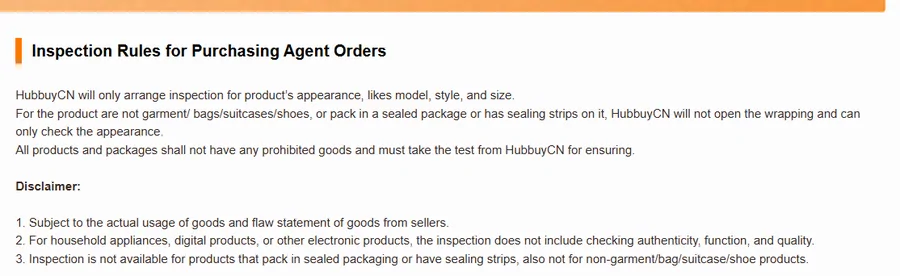
Check the selected colour, visible size label, number of pieces and included accessories. If a photo does not show what matters, ask a specific question: “Please show the size label on both shoes” is more useful than “more QC.” A top-down photo cannot establish an insole length or electronic function.
Raise missing or wrong goods before they join an outgoing parcel. Check the seller’s return conditions separately; long warehouse storage is not a long seller return period.
Create the parcel and review the route
- Select only orders that are ready, checked and intended for this shipment.
- Identify restricted contents before comparing available routes.
- Choose protective packaging, removal or other extras deliberately.
- Review the gross measurements and complete cost breakdown when available.
- Check address, declaration and any insurance limits before the shipping payment.
Two parcels may be appropriate when contents have different restrictions, one item needs substantial protection, or waiting creates a deadline problem. Combining can change the cost; it does not guarantee a saving.
Use the planning comparison → · Finish the dispatch checklist →
How to use the HubbuyCN Spreadsheet, step by step
Start with a category or the product search, open the seller listing and save the exact link and chosen variant. Submit that choice through the operator’s current account entry. After the goods arrive, use the order record below to check the photos and decide what to ship. The catalogue and this planner do not create or pay for an order.