
HubbuyCN Spreadsheet · Haul guide
HubbuyCN Spreadsheet: build a haul you can track
Find products, record the exact options, check each arrival and decide what belongs in the same parcel. This guide connects product discovery with the warehouse and shipping decisions that follow.
Start with the products you actually need
Choose a category to compare listings. Recheck the seller page, selected option and current price before ordering.
 Category
Sneakers
Check size and colour, then decide whether the shoebox is needed for protection. A preset is not the measured weight of this pair.
Browse this category Category
Outerwear
Compare garment measurements and insulation. Packed thickness can matter as much as weight.
Browse this category Category
Hoodies
Read chest and length measurements before choosing a size. Ask about packing only after checking the item.
Browse this category Category
T-shirts
Compare the selected fabric, size and quantity. Adding another item can change the parcel quotation.
Browse this category Category
Jeans
Check waist, rise and inseam against a pair that fits. Packed weight varies with size and fabric.
Browse this category Category
Sweatpants
Confirm waist and leg measurements. Estimate the completed parcel rather than treating each item as free space.
Browse this categoryAll categories, including bags, accessories and electronics →
What the Spreadsheet and the agent each do
The HubbuyCN Spreadsheet
A browsable product catalogue helps you find seller links and compare options. It does not reserve stock, take payment or inspect the item. Use it to make a shortlist you can check.
HubbuyCN / HUBBUY
The shopping agent can purchase from a seller, receive goods, offer warehouse inspection and arrange an international parcel. You approve the chosen item and shipping options in your own account.
From separate orders to one shipping decision
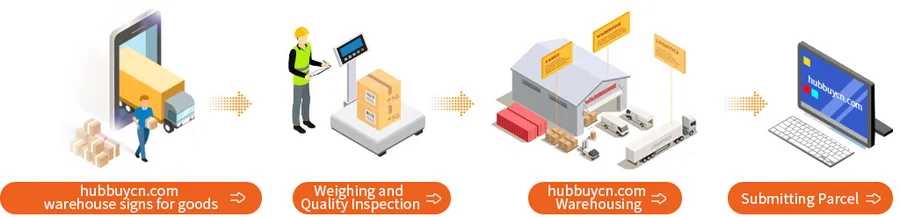
1. Record the purchase. Keep the seller link, variant and quantity with the order number.
2. Check the arrival. Compare the warehouse pictures with that record and resolve missing details.
3. Choose the parcel. Check item restrictions, protective packing and the actual route quotation.
Three decisions before you submit
What will the finished box measure?
Sample item sizes help you plan. Carrier billing uses the completed parcel and the selected route rules.
Weights, dimensions and the planner →Which item reaches its deadline first?
A newer arrival does not reset the storage period of an older order. Track each one separately.
Read the storage clocks →What is included in the price?
Goods, domestic delivery, international freight, payment conversion and optional services are different costs.
Understand the total payment →A guide for the stage you are at
Why use this guide?
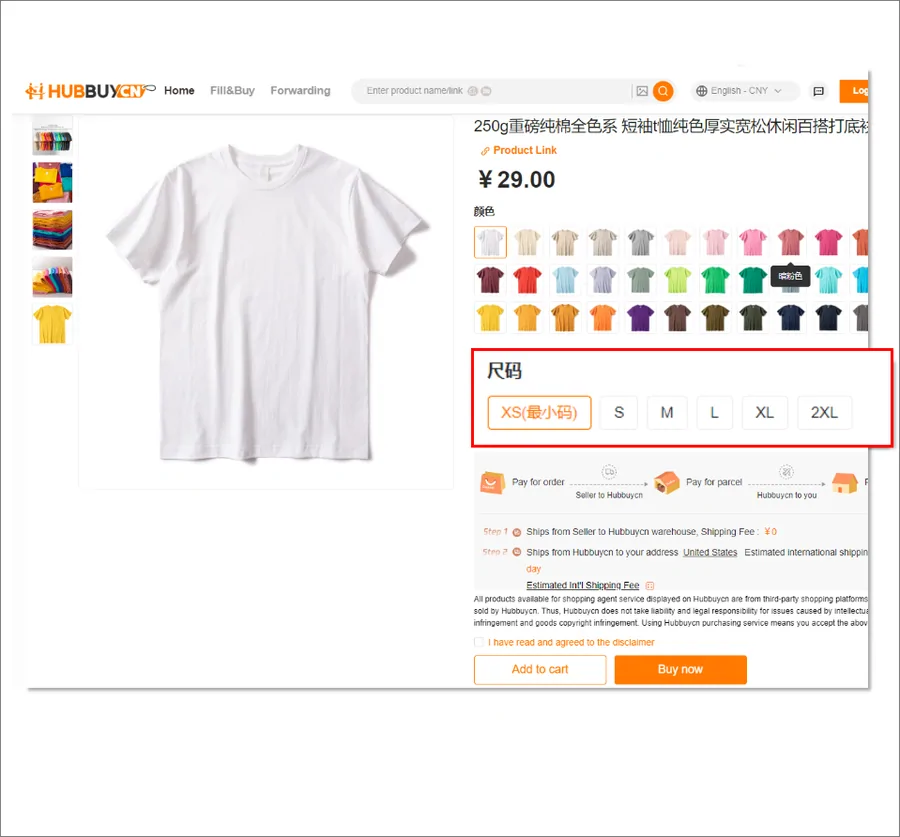
Keep the selected size, colour and quantity with the seller link. At warehouse QC, compare the received item with that saved choice before deciding to ship.
It puts the purchase record, warehouse checks and parcel choices in one sequence, with worked examples and a planner whose assumptions stay visible.
QC and the final shipping checklist →
Help centre and frequently asked questions →